

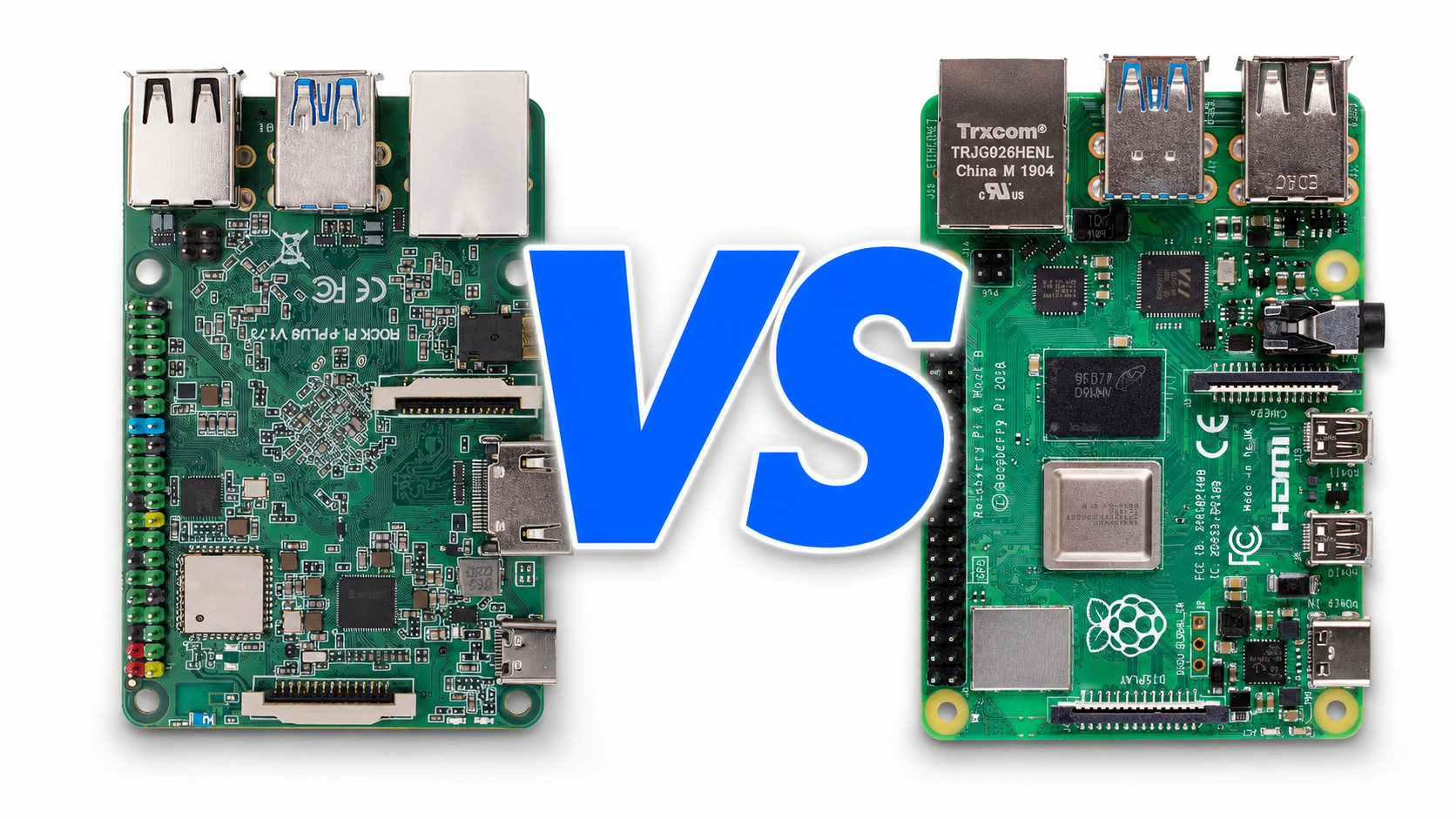
The Raspberry Pi 4 is the default answer for almost every single-board computer project — and for good reason. But after building dozens of deployments on both platforms, we keep reaching for the Radxa Rock Pi 4B+ when raw performance, real PCIe, or NVMe storage matters. Here is an honest, side-by-side breakdown of when each board is the right tool.
Hardware at a Glance
The two boards share the same physical form factor — Pi 3-compatible HAT footprint, 40-pin GPIO header in the same position, and similar I/O placement. The internals are where they diverge:
- Raspberry Pi 4 Model B: Broadcom BCM2711, 4× Cortex-A72 @ 1.5 GHz, VideoCore VI GPU, 2/4/8 GB LPDDR4, USB 3.0 × 2, USB 2.0 × 2, gigabit Ethernet (via USB 3.0 bus), micro-HDMI × 2, microSD boot
- Radxa Rock Pi 4B+: Rockchip RK3399, 2× Cortex-A72 @ 1.8 GHz + 4× Cortex-A53 @ 1.4 GHz (big.LITTLE), Mali-T860MP4 GPU, 4 GB LPDDR4, USB 3.0 × 2, USB 2.0 × 2, gigabit Ethernet (native), HDMI 2.0 + MIPI DSI, microSD + 16/64 GB onboard eMMC + M.2 NVMe slot
Where the Rock Pi 4B+ Wins
1. Real PCIe and NVMe Storage
This is the single biggest reason to choose the Rock Pi. The board exposes a true PCIe 2.1 ×4 lane on its M.2 connector. Plug in an NVMe SSD and you boot from it directly — no USB adapters, no SD card lottery. Random 4K read jumps from ~10 MB/s on a Class 10 SD card to over 250 MB/s on a modest WD Blue SN570. For anything that hits the filesystem hard (databases, container hosts, build servers), this difference is night and day.
The Raspberry Pi 5 finally added PCIe, but the Pi 4 does not have it. If you are choosing between Pi 4 and Rock Pi 4B+ today, this alone is reason enough for many builds.
2. Onboard eMMC
The Rock Pi 4B+ ships with the option of soldered eMMC storage. eMMC is roughly 2–4× faster than a good microSD card for both sequential and random I/O, and it is far more durable for 24/7 operation. No more SD card corruption after a power loss.
3. Better Sustained CPU Performance
The RK3399’s big.LITTLE architecture (2× A72 + 4× A53) gives it more total compute headroom than the Pi 4’s 4× A72. Under sustained multithreaded loads — compiling code, running a media server, transcoding — the Rock Pi 4B+ regularly stays cooler and faster because background tasks migrate to the efficient A53 cores while the A72s handle the hot path. In our internal Geekbench 5 runs:
- Pi 4 (4 GB): ~270 single-core, ~720 multi-core
- Rock Pi 4B+ (4 GB): ~340 single-core, ~890 multi-core
4. Native Gigabit Ethernet
The Pi 4’s gigabit NIC is wired through the same USB 3.0 controller that handles all four USB ports — so heavy USB I/O steals network throughput, and vice versa. The Rock Pi 4B+ has a dedicated native gigabit MAC straight to the SoC. For NAS builds, gateways, or anything network-heavy, this matters.
5. HDMI 2.0 + MIPI DSI Out
The Pi 4 has two micro-HDMI ports; the Rock Pi has one full-size HDMI 2.0 (true 4K@60 Hz output) plus a MIPI DSI connector for direct LCD panel attachment. The full-size HDMI alone removes the need for an adapter cable. The DSI port works with most Raspberry Pi display panels with the right device tree overlay (we covered this in detail in a previous post).
Where the Raspberry Pi 4 Wins
1. Software Ecosystem & Documentation
This is the Pi’s killer feature and it is not close. Raspberry Pi OS, the documentation, the community, the books, the YouTube tutorials, the third-party HATs that “just work” — the depth of the ecosystem is unmatched. If your project leans on a specific HAT (HiFiBerry audio, Argon ONE case, AdaFruit display drivers), check that it supports the Rock Pi before you commit. Many do, some do not.
2. GPIO Library Compatibility
RPi.GPIO and gpiozero work natively on the Pi. On the Rock Pi you typically use libmraa or the Radxa-maintained rockpi-4b-misc tools. If you are writing Python for hobbyist sensor/relay projects, Pi GPIO code is “copy-paste-it-works”; Rock Pi GPIO code usually needs adapting.
3. Kernel and Driver Maturity
Raspberry Pi gets first-class mainline kernel attention. The Rock Pi gets very good support from Radxa and the Armbian community, but occasionally a brand-new kernel breaks DSI output or a peripheral driver before it gets patched. For a production deployment where you cannot afford a week of driver troubleshooting, Pi is the safer choice.
4. Availability
Both boards have had supply struggles, but the Pi is still easier to source in volume. For a one-off project this does not matter; for a small-batch product run, talk to your supplier first.
Side-By-Side: Which to Pick for Common Projects
NAS / file server
Rock Pi 4B+. The PCIe SATA HAT and native gigabit give it a clear advantage. We covered this build in detail in our NAS guide.
Plex / Jellyfin media server
Rock Pi 4B+. Faster CPU + NVMe boot + native gigabit handles 2–3 simultaneous transcodes; the Pi 4 chokes past one.
Home Assistant / general SmartHome hub
Either, but Pi 4 has more out-of-the-box integrations. Home Assistant OS has first-class Pi 4 images. Rock Pi 4B+ works via the generic ARM64 image with a tiny bit of setup.
Retro gaming (RetroPie / Batocera)
Raspberry Pi 4. All emulator tuning, controller maps, and bezel packs assume Pi. Rock Pi works but is a tinkering project.
Robotics / sensor projects with HATs
Raspberry Pi 4. Stay with the Pi unless you have a specific reason. HAT compatibility and the GPIO library ecosystem aren’t worth fighting.
Edge compute / dockerized services with persistent storage
Rock Pi 4B+. eMMC + optional NVMe is a game-changer for container hosts.
Kiosk / digital signage
Rock Pi 4B+. Full-size HDMI 2.0 at 4K@60 Hz beats the Pi’s dual micro-HDMI at 4K@30 Hz for single-screen deployments. The DSI port also opens up direct LCD panels without extra cabling.
The Honest Verdict
If you are learning, prototyping, or building anything that depends on a specific HAT or library — start with the Pi 4. The ecosystem advantage is real and saves hours.
If you have outgrown microSD storage, need PCIe/NVMe, want 4K@60 video output, or are building a NAS or always-on service — the Rock Pi 4B+ is the better choice and at a similar price point you get materially better hardware.
We keep both on the shelf and reach for whichever the project actually needs. The right answer is usually “the Pi” — but when it isn’t, it is the Rock Pi 4B+ by a comfortable margin.